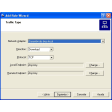
Screenshots
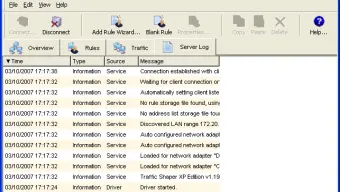

App details
- Version
- 1.19
- Size
- 4.48 MB
- Updated
- May 23, 2023
- Requires
- Windows 2000
- Language
- English
- License
- Free
- Developer
- Bandwidthcontroller
- Category
- Windows OS
SoftPas in:
This product is also available in the following languages:
About Traffic Shaper XP
Download Traffic Shaper XP – Network Traffic Management Tool
Overview of Traffic Shaper XP
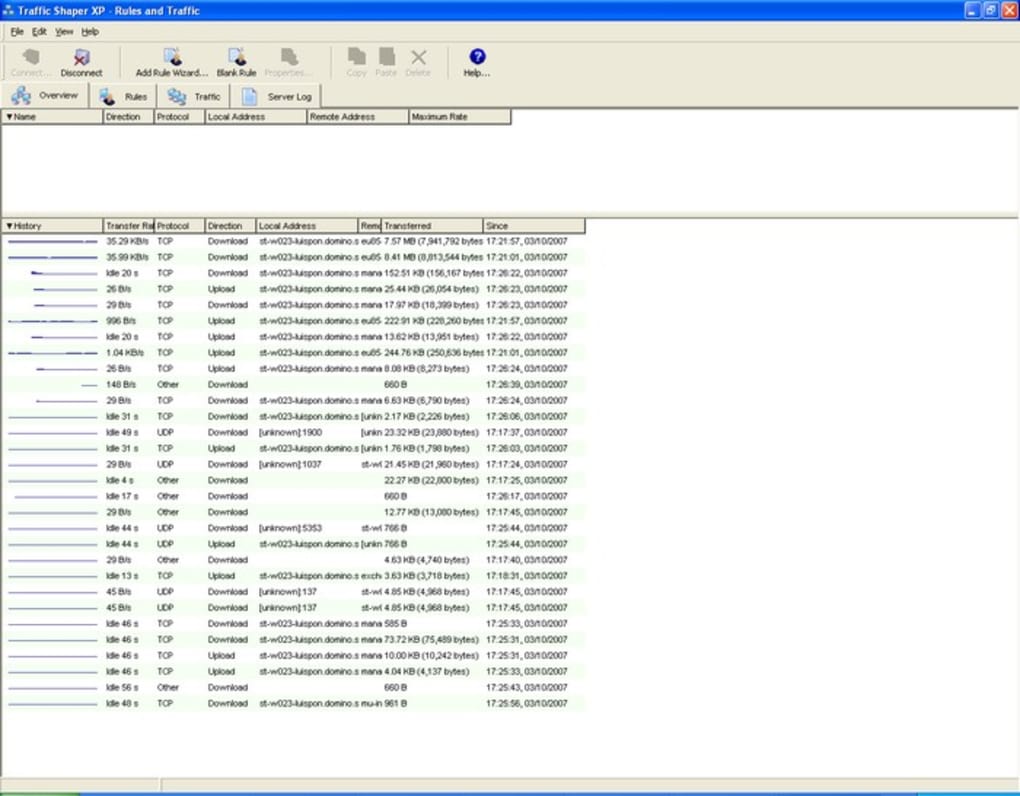
Traffic Shaper XP is a lightweight yet powerful network monitoring and bandwidth‑control utility designed for small‑to‑medium sized environments. It presents a real‑time view of every packet that traverses a network, displaying critical details such as protocol type, source and destination IP addresses, MAC identifiers, domain names, port numbers, connection duration, and the exact speed of each transfer. By consolidating this data into an intuitive dashboard, network administrators can instantly spot anomalies, pinpoint bandwidth hogs, and diagnose latency spikes without digging through obscure log files.
The application does more than just observe traffic; it empowers administrators to shape it. Through an easy‑to‑use wizard, users can create traffic‑shaping rules that prioritize mission‑critical applications, reserve bandwidth for VoIP or video conferencing, and throttle bandwidth‑intensive services like peer‑to‑peer downloads during business hours. This dual capability—visibility plus control—makes Traffic Shaper XP an essential tool for anyone looking to maintain a smooth, predictable network experience.
One of the standout features is the Server‑Free Mode, which allows the program to operate without a dedicated gateway or server. Even in environments where all computers act as peers, Traffic Shaper XP can distribute bandwidth fairly across all users, ensuring that no single device monopolizes the connection. While the developers claim broad compatibility with major firewalls and server platforms, they do acknowledge occasional conflicts with highly customized firewall rulesets. Nevertheless, the tool remains a solid choice for administrators who need a free, secure, and regularly updated solution for traffic monitoring and shaping.
Core Features & Capabilities
- Real‑time traffic visualization with protocol, IP, MAC, and domain details.
- Bandwidth allocation wizard for creating priority rules.
- Server‑Free Mode for peer‑to‑peer environments.
- Customizable alerts for unusual traffic spikes.
- Support for major firewall and server software (e.g., Windows Firewall, pfSense).
- Detailed logging and export to CSV for historical analysis.
- Lightweight footprint – runs on modest hardware without degrading performance.
Pros
- Intuitive UI that requires minimal training.
- Free to download and use, with regular security updates.
- Server‑Free Mode eliminates the need for additional hardware.
- Granular control over individual applications and ports.
- Low CPU and memory consumption.
Cons
- Potential conflicts with highly customized firewall rules.
- Lacks deep packet inspection for enterprise‑level protocol analysis.
- No native mobile app for remote monitoring.
- Advanced reporting features are limited compared to paid solutions.
- Configuration backup/export is manual rather than automatic.
Overall Rating: 4 out of 5 stars – Traffic Shaper XP offers a solid blend of visibility and control for small networks, though enterprises may need more advanced analysis tools.
Installation, Usage & Compatibility
Step‑by‑Step Installation
- Download the installer from the official website (ensure you use the HTTPS link for a secure download).
- Run the .exe file (Windows) or .dmg file (macOS) and follow the on‑screen wizard.
- During setup, choose between “Standard Mode” (requires a server/gateway) or “Server‑Free Mode” for peer environments.
- Allow the program to configure the required network adapter permissions; you may need administrator rights.
- After installation, launch Traffic Shaper XP and let it scan your network interfaces.
- Use the built‑in wizard to create your first bandwidth‑shaping rule – the assistant guides you through selecting applications, setting priority levels, and defining time windows.
How to Use the Dashboard
Upon launch, the main dashboard presents a live graph of inbound and outbound traffic, broken down by protocol (TCP, UDP, ICMP, etc.). Clicking any bar expands a detailed view showing source/destination IPs, MAC addresses, and the specific ports involved. The “Rules” tab lets you add, edit, or delete shaping policies. For quick adjustments, right‑click any active flow and select “Prioritize” or “Limit” to apply an ad‑hoc rule that lasts until the session ends.
Logs are accessible via the “History” tab, where you can filter by date, protocol, or IP range. Export options include CSV and JSON, facilitating integration with external monitoring platforms such as Grafana or Splunk. Alerts can be configured to send email notifications when traffic exceeds predefined thresholds, helping you react proactively to potential DDoS attacks or misbehaving applications.
Operating System Compatibility
Traffic Shaper XP is built for the following platforms:
- Windows 10, Windows 11, and Windows Server 2016‑2022 (64‑bit).
- macOS 10.15 (Catalina) and later.
- Linux distributions with kernel 4.15+ (Debian, Ubuntu, CentOS) – use the .deb or .rpm packages.
- Android and iOS are not supported; the tool focuses on desktop and server environments.
For Windows users, the installer automatically registers a service that runs in the background, ensuring continuous monitoring even after reboots. macOS users will need to grant “Full Disk Access” and “Network Extension” permissions during the first launch. Linux users should run the installation script with sudo privileges to create the necessary systemd service.
Frequently Asked Questions
Can Traffic Shaper XP work alongside my existing firewall?
Yes, the application is designed to coexist with most mainstream firewalls such as Windows Defender, pfSense, and Cisco ASA. However, if you have highly customized firewall rules that block certain ports, you may experience conflicts. In such cases, add Traffic Shaper XP to the firewall’s exception list.
Is there a limit to how many shaping rules I can create?
The free version allows up to 25 simultaneous rules. For larger deployments, the premium license removes this restriction and adds advanced scheduling options.
How does Server‑Free Mode distribute bandwidth fairly?
In Server‑Free Mode, the application monitors each client’s current usage and dynamically adjusts limits so that no single device exceeds its allocated share. It uses a round‑robin algorithm combined with real‑time traffic analysis to maintain balance.
Can I export traffic logs for compliance reporting?
Yes, Traffic Shaper XP provides CSV and JSON export options. You can schedule automatic exports to a network share or integrate with external SIEM tools for compliance audits.
Is the software free or do I need to purchase a license?
Traffic Shaper XP offers a fully functional free edition that includes core monitoring and basic shaping capabilities. A paid Pro license unlocks advanced reporting, unlimited rules, and priority support.
Conclusion & Call to Action
Traffic Shaper XP delivers a compelling mix of real‑time network visibility and practical bandwidth‑shaping tools without demanding a hefty investment. Its clean interface, Server‑Free Mode, and straightforward rule‑wizard make it an ideal choice for small businesses, educational institutions, and home offices that need to keep their networks running smoothly. While it may not replace enterprise‑grade DPI solutions, its low resource usage and free pricing model provide excellent value for the majority of users.
If you’re looking to gain control over your network traffic, reduce congestion, and prioritize mission‑critical applications, downloading Traffic Shaper XP today is a smart first step. Click the button below to start the secure, free download and begin shaping your network for optimal performance.
Guides & Tutorials
How to install Traffic Shaper XP
- Click the Download button above.
- Once redirected, accept the terms and click Install.
- Wait for the Traffic Shaper XP download to finish on your device.
How to use Traffic Shaper XP
This software is primarily used for its core features described above. Open the app after installation to explore its capabilities.
User Reviews
No reviews yet. Be the first to share your experience.
You may also like
more
Llama 2
Free-to-use large language model As the new addition to Meta’s arsenal of langua...

NotebookLM
Revolutionizing the note-taking and idea-generation process NotebookLM is an exp...

Github co pilot
AI-inspired software development and coding platform GitHub Copilot is a browser...

Google Gemma
Google’s lightweight AI models Introducing Google Gemma , a family of cutting-ed...

AI Image Enlarger
A free app for Windows, by ai-image-larger. AI Image Enlarger is a free software...

DALL E
AI-driven text-to-image transformation engine DALL·E is a free graphic and desig...